
Real-Time Translation
How real-time speech translation works in InterMIND.
Real-Time Translation
InterMIND's core feature is AI-powered real-time speech translation. During video meetings, every participant speaks their own language and hears others translated into theirs — live, with minimal delay. For the product view — what gets translated beyond voice and how it compares to other platforms — see the Real-Time Translation feature page.
How It Works
- You speak in your own language
- InterMIND's AI captures your speech
- The speech is translated into the target language of each listener
- Each participant hears the translated audio in real-time — in the original speaker's own voice, not a synthetic narrator
- Optionally, translated subtitles appear on screen
Each participant independently chooses their own language. In a meeting with 5 people speaking 5 different languages, everyone hears the translation in their own language simultaneously.
Key Features
| Feature | Description |
|---|---|
| 23 languages | Voice, chat, and shared notes (file translation: 30, a paid feature on Pro and above) — why these counts vary |
| Real-time | Minimal delay between speech and translation |
| Per-participant | Each person chooses their own target language |
| Bidirectional | Works in both directions — you hear others and they hear you |
| Own voice | Each participant hears the translation in the speaker's own voice, not a robotic narrator |
| Subtitles | Optional text subtitles for the translation |
| Transcription | Save the full transcript of a meeting |
Enabling Translation
- Join a meeting
- Open the More menu in the control bar and click Enable translation (or press Alt+T) — only available when the room has at least two languages
- Set your language from the Translation language submenu in the same More menu
- Start speaking — other participants will hear you in their chosen language
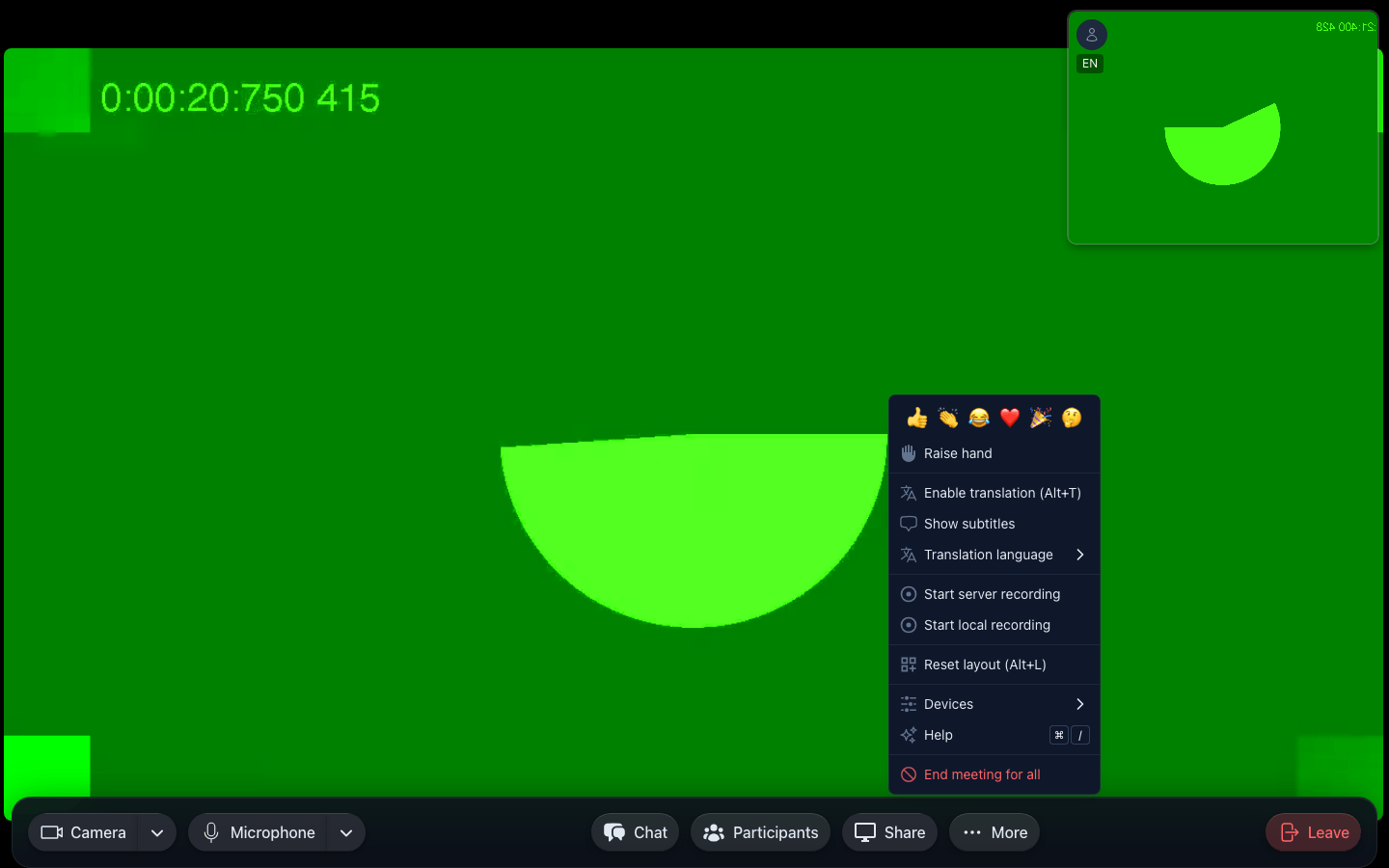
When translation is enabled:
- You hear a translated audio stream instead of the original
- The translation replaces the original audio (the original is not played simultaneously)
- You can toggle it off at any time to hear the original speech
In This Section
- Choosing Languages — Select and change your translation language
- Live Subtitles — Display translated text during meetings
- Transcription — Record and save meeting transcripts
- Usage & Limits — Translation time limits by plan, tracked on the Billing page