
Browsers & Devices
Supported browsers, permission settings, and mobile / desktop quirks.
Browsers & Devices
Supported Browsers
| Browser | Minimum version | Notes |
|---|---|---|
| Chrome | 90+ | Best support, full feature set |
| Edge | 90+ | Same engine as Chrome — full feature set |
| Safari | 15+ | Works; screen-sharing requires Safari 17+ |
| Firefox | 100+ | Works; some codec fallbacks on older hardware |
| Opera, Brave, Arc | Chrome 90+ equivalent | Works (built on Chromium) |
| Internet Explorer, legacy Edge | — | Not supported |
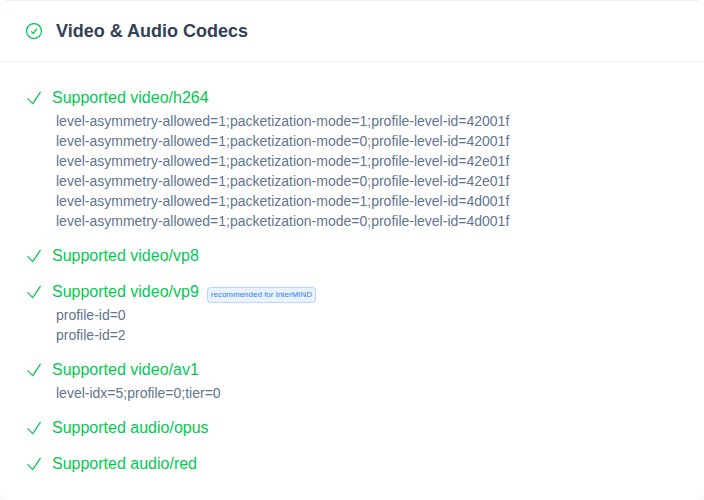
Run the WebRTC Browser Test to verify your browser before joining an important meeting.
Permission Prompts
| Symptom | Likely cause | Fix |
|---|---|---|
| Permission prompt loops on every join | Browser is set to "Ask every time" | Click the lock icon in the address bar → set Microphone and Camera to Allow for the InterMIND domain |
| "Permission denied" with no prompt | Permission was previously denied | Same as above — change from Block to Allow, then reload |
| Permissions reset every session | Browsing in Incognito / Private mode | Use a regular window, or grant permission again each session |
| OS-level prompt never appeared | Browser was previously denied at OS level | macOS: System Settings → Privacy & Security → Camera/Microphone → enable browser. Windows: Settings → Privacy → Camera/Microphone |
Safari Quirks
| Symptom | Likely cause | Fix |
|---|---|---|
| Audio cuts out when tab is in background | Safari throttles inactive tabs aggressively | Keep the InterMIND tab in the foreground during meetings |
| Camera switches to wrong device on rejoin | Safari doesn't always honor "default device" memory | Manually select the device after joining |
| Screen sharing missing | Safari ≤16 doesn't support getDisplayMedia() reliably | Upgrade to Safari 17+ or use Chrome/Edge for sharing |
| Echo cancellation weak | Safari's audio processing is less aggressive than Chrome's | Use a headset to avoid echo |
Mobile Browsers
Mobile is supported but has limits versus desktop.
| Feature | iOS Safari | Android Chrome |
|---|---|---|
| Audio + Video meetings | ✓ | ✓ |
| Translation (listen + speak) | ✓ | ✓ |
| Screen sharing | ✗ (iOS doesn't expose getDisplayMedia to web) | ✗ |
| Background mode | Limited — Safari pauses inactive tabs | Limited — Chrome pauses inactive tabs |
| Picture-in-picture | ✓ on iOS 15+ | ✓ |
For meetings longer than 30 minutes or with screen sharing, desktop is recommended.
Incognito / Private Mode
| Issue | Cause |
|---|---|
| Permissions reset each session | Private mode wipes site data on close |
| Sign-in fails with "third-party cookies blocked" | Private mode blocks cookies more aggressively |
| Performance worse than normal window | Less caching, more overhead |
For meetings, use a regular browser window.
Browser Extensions
Some extensions break WebRTC:
| Extension type | What it breaks |
|---|---|
| Ad blockers (uBlock, AdBlock) | Usually fine; rarely block WebRTC signaling — disable for *.intermind.com if issues persist |
| Privacy / VPN extensions (NordVPN, Ghostery) | Can block STUN/TURN — disable during meetings |
| Tab managers / freezers (The Great Suspender, Auto Tab Discard) | Suspend the InterMIND tab and break the call — disable for InterMIND |
| Anti-tracking extensions | Can block analytics endpoints, usually harmless |
Test in an incognito window with extensions off — if it works there, an extension is the cause.
Clearing Cache
If something is stuck and nothing else works:
- Open browser DevTools (Cmd/Ctrl+Shift+I)
- Right-click the reload button → Empty Cache and Hard Reload
- If still broken: Settings → clear site data for
intermind.com
Related
- Audio Issues — Mic and speaker problems
- Video & Camera Issues — Camera permissions and screen sharing
- Network & Connection — Bandwidth and firewall issues