
Profile Settings
Profile Settings
Your profile settings control how you appear to other participants and which language is used for translation.
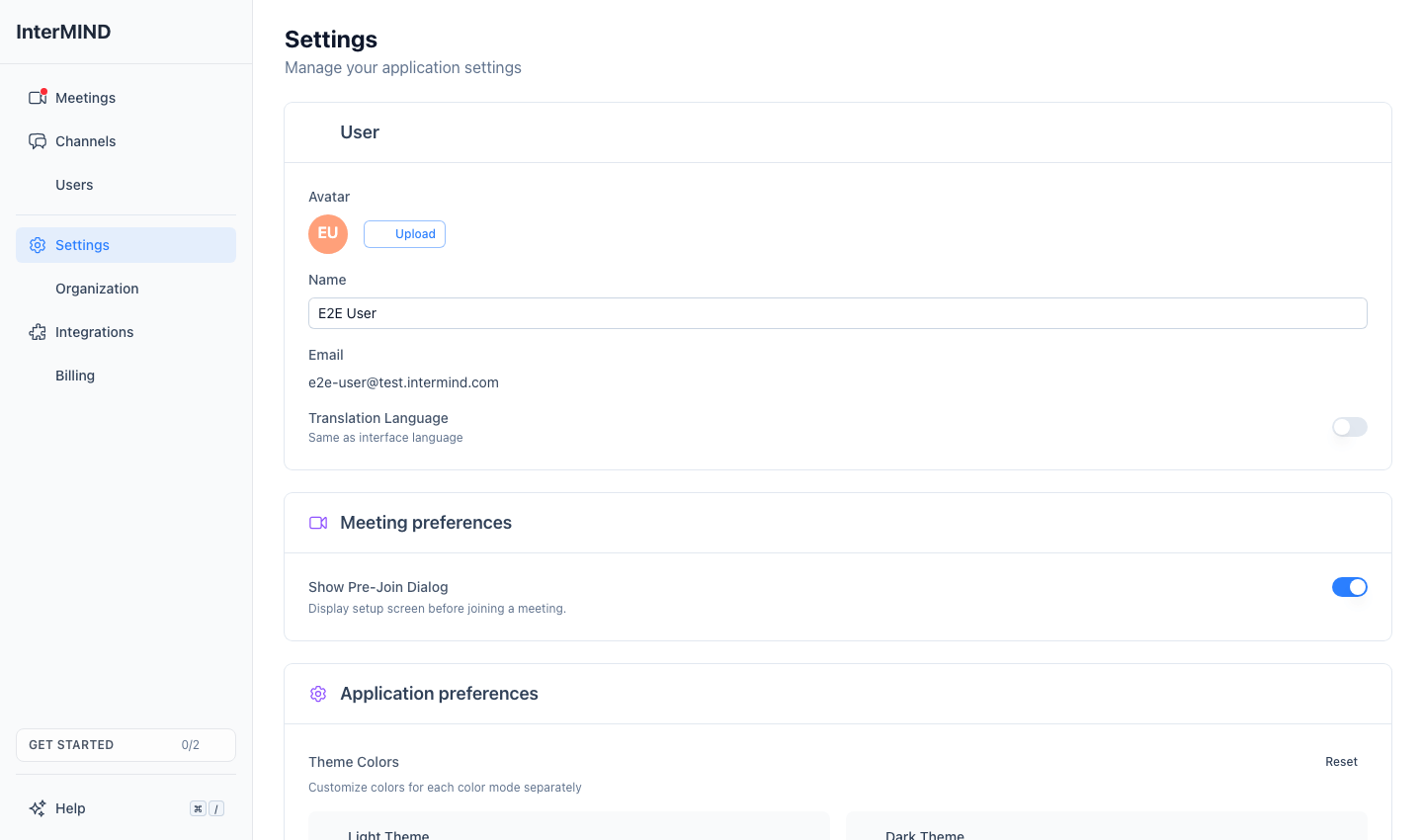
Accessing Profile Settings
- Click Settings in the sidebar
- The User section is at the top of the page
Avatar
Uploading an Avatar
- Click the Upload button in the User section
- Select an image from your computer
- The image is automatically cropped to a square and resized to 256×256 pixels
Supported formats: JPEG, PNG, GIF, WebP
Maximum file size: 10 MB
Your avatar is automatically optimized (compressed to JPEG quality 0.85) for fast loading.
Default Avatar
If you don't upload a photo, a default avatar is generated from your initials with a colored background. This appears everywhere your profile picture is shown.
Removing Your Avatar
Click Remove next to your avatar to revert to the auto-generated initials avatar. This button only appears if you've uploaded a custom photo.
Display Name
Your display name is shown to other participants in meetings, chat, and team views.
- Type your name in the Name field
- Your name is saved automatically (with a brief delay)
- If you leave the field empty, your email address is used as a fallback
Your email address is displayed as read-only. It's set during account creation and cannot be changed from the settings page.
Translation Language
Your translation language determines what you hear when translation is active in a meeting and what language incoming chat messages are translated to.
By default, your translation language follows your interface language. It is not on the Settings page — set it from the sidebar account menu: open the menu on your account entry at the bottom of the sidebar and pick Translation Language; the submenu lists all 23 languages. Choosing a language different from your interface language sets an override (your account entry shows the current translation language); choosing the same one clears it.
Changing your interface language later does not silently change your translation language.
You can also change it in the call: More → Translation language. The pre-join screen only shows the language you'll be listening in — it isn't editable there. It's the same account-wide setting everywhere.
Supported Languages
InterMIND supports 23 languages for real-time translation (voice, chat, and shared notes). On-demand file translation in chat — a paid feature, available on Pro and above — covers a wider 30. Full breakdown: How many languages do we support — six numbers, not one.
| Language | Native Name |
|---|---|
| English | English |
| Russian | Русский |
| Spanish (Latin America) | Español |
| French | Français |
| German | Deutsch |
| Italian | Italiano |
| Portuguese (Brazilian) | Português |
| Polish | Polski |
| Dutch | Nederlands |
| Czech | Čeština |
| Hungarian | Magyar |
| Danish | Dansk |
| Finnish | Suomi |
| Icelandic | Íslenska |
| Norwegian | Norsk |
| Romanian | Română |
| Swedish | Svenska |
| Ukrainian | Українська |
| Japanese | 日本語 |
| Korean | 한국어 |
| Turkish | Türkçe |
| Chinese (Simplified) | 中文 |
| Hindi | हिन्दी |
Default Language
If you haven't set a language yet, InterMIND uses your browser's language setting. If your browser language isn't in the supported list, it defaults to English.
Your Voice in Translation
When your speech is translated for other participants, it is spoken by a synthesized voice. Record a short sample and that voice is built from yours, so people hear your words in their language in a voice that sounds like you.
Recording a Sample
- In Your voice in translation, click Record my voice. After a moment the card says Speak now.
- Say the numbers from one to ten in any order, in your translation language — the card shows them in that language, and numbers heard in another language do not count. Each number lights up as the speech engine hears it.
- When all ten are lit, the take is checked and saved by itself: Done. Your voice is saved. Nothing else to click. Take your time — there is no countdown; the card keeps the stretch of your take that holds the numbers, up to the ten seconds the voice engine reads.
If the engine did not catch every number within 10 seconds (the sample's upper limit), or the recording is too quiet, distorted, mostly silence, or too noisy, the card says why and you simply record again. A quiet room and a headset give the best result.
From the next meeting you join, your translated speech is voiced with your sample. There is no separate switch: a saved sample is on, no sample means the standard voice.
Removing the Sample
Click Remove on the card. Your translated speech returns to the standard voice immediately. The sample is stored with your account only for this purpose, is sent to the translation engine each time you join a meeting, and is deleted together with your account.
Guests cannot record a sample — sign in to use your own voice.
Syncing Across Devices
Your profile settings (name, avatar, language) are stored in the cloud and sync across all devices where you're signed in. Changes take effect immediately on all sessions.